5 Ways to Use AI in Video Editing to Finish Your First Draft in Minutes


Still spending hours on video editing? Come on, it's 2026. Don’t let the manual grind take up all your precious time. It is time to adapt AI and let it handle the time-consuming tasks. A tool like FireCut AI can help you speed up your daily editing workflow. It is an AI-based plugin available for Premiere Pro and DaVinci Resolve. FireCut AI automates the lengthy tasks of video editing. Let's look at 5 ways FireCut AI helps to transform your video from a rough cut to ready-to-post content.
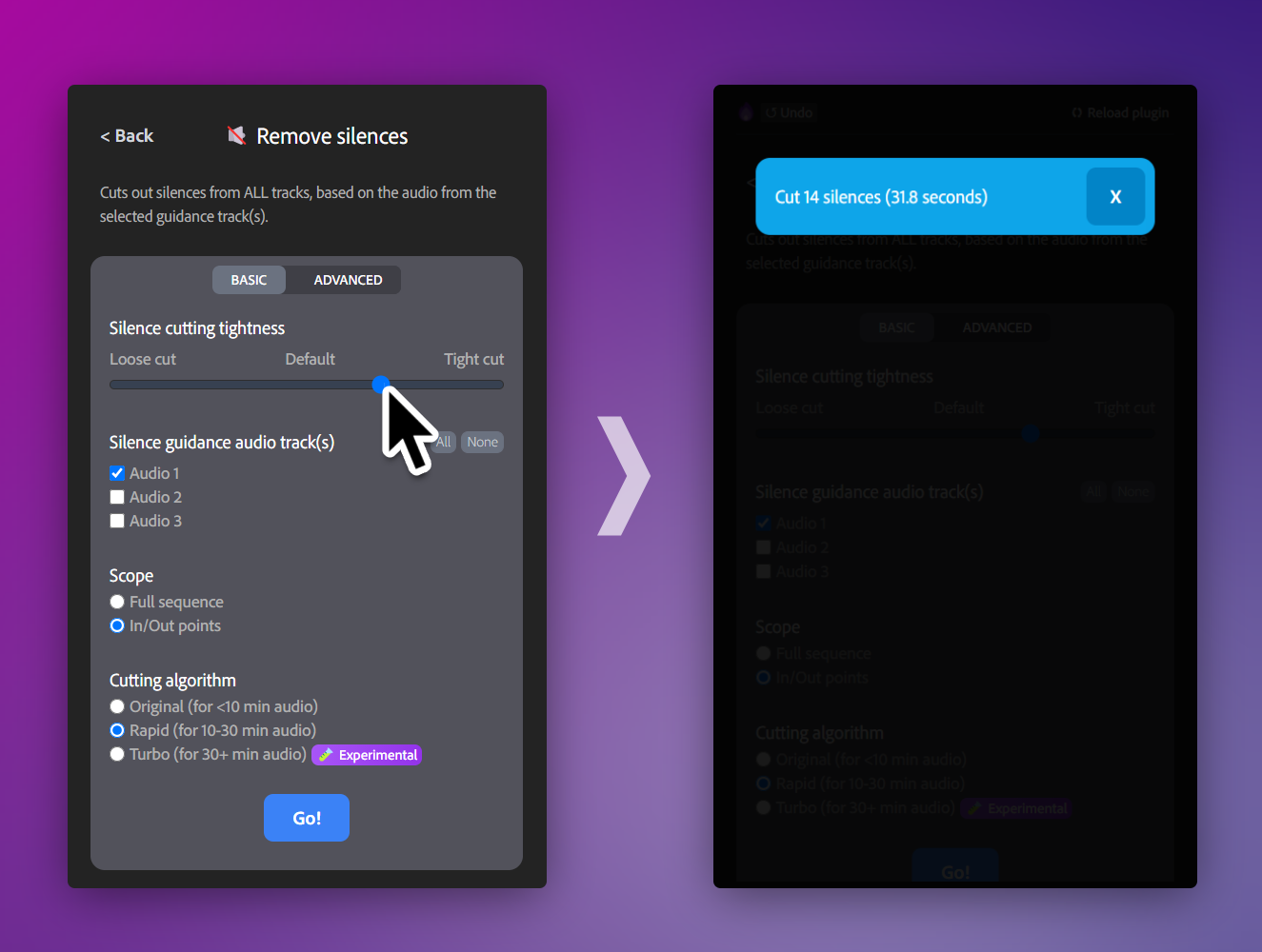
Silence Stripping & Jump Cuts:
Stop hunting for dead air. FireCut automatically detects silences and removes them, instantly turning hours of raw footage into a tight, energetic rough cut. You can even remove repetition and any filler words uttered out in the rough cut to make the final cut look perfect.
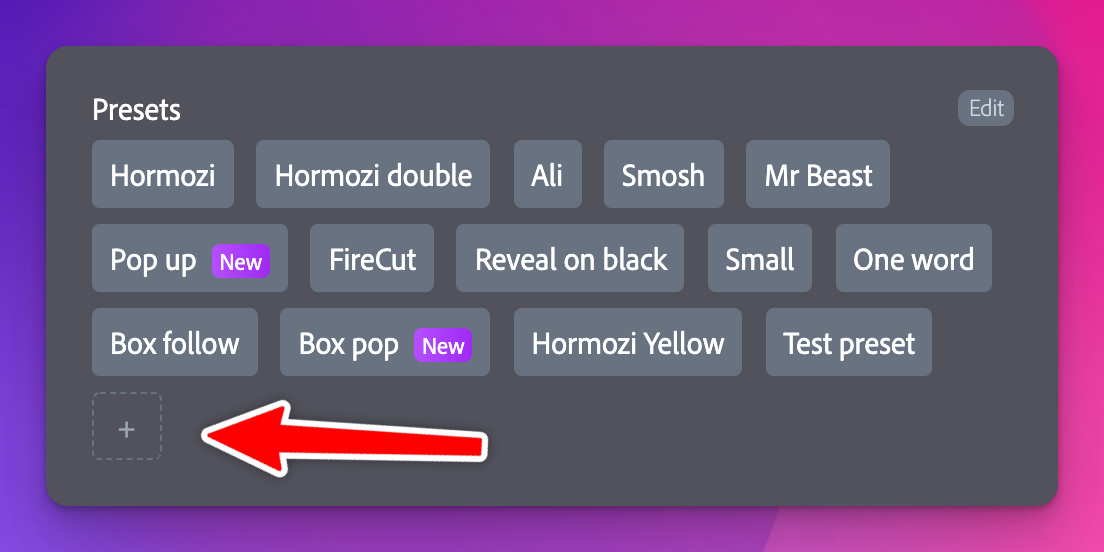
AI-Powered Captions & Subtitles:
Boost your reach without the manual typing. Generate accurate, stylish captions in seconds that keep viewers engaged even when they're watching on mute. You can easily add captions in more than 50 languages and even translate the audio in another language through captions in just minutes. The chapters feature also helps to come up with an AI-generated title & description to post the video. These features increase the searchability and accessibility of the video.
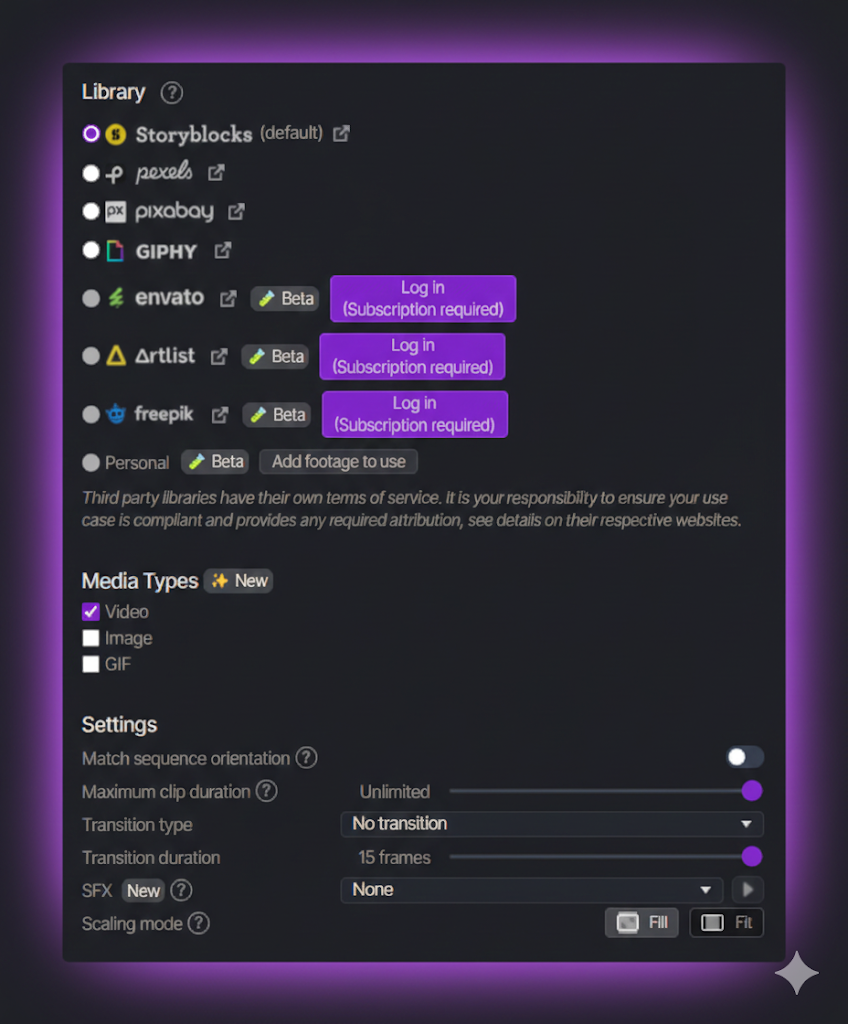
Automatic Zooms & B-rolls:
Keep your audience’s attention by automating "punch-ins." The AI identifies key moments and adds zooms or scale changes to simulate a multi-cam setup. Break the monotony by adding some interesting high-quality stock footage using FireCut AI’s automatic B-roll feature. It gives you access to multiple libraries like Storyblocks, Pexels, GIPHY, etc.
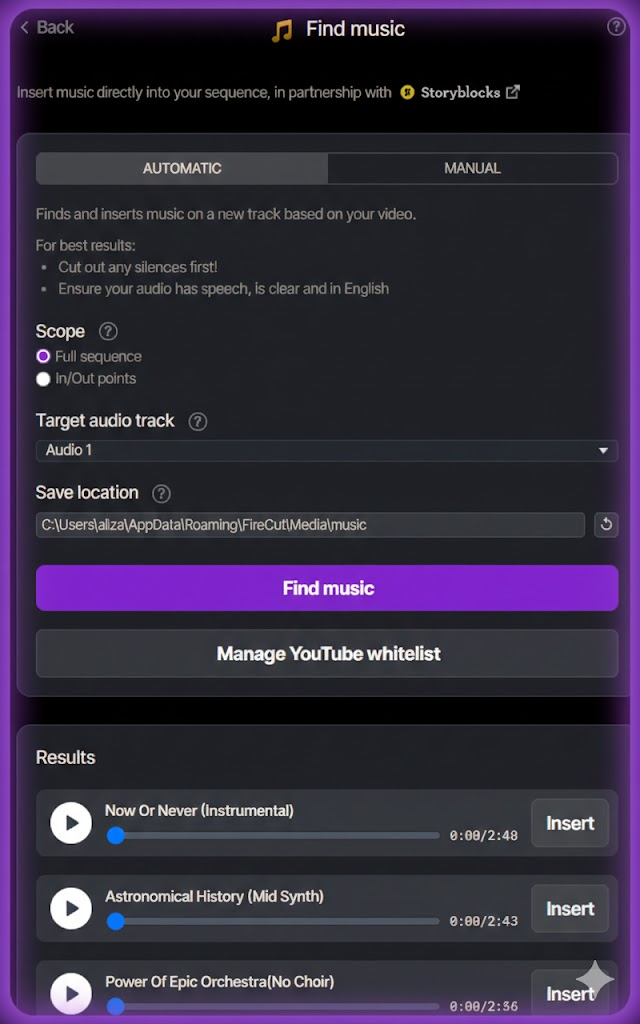
Smart Background Music & AI-Voiceover:
Don't waste time looking for royalty-free music when FireCut AI has you covered. You can easily add music according to your genre or mood without having to worry about copyrights. You can even add AI-voiceovers in different voices with just a couple of clicks.
Multi-Camera Syncing:
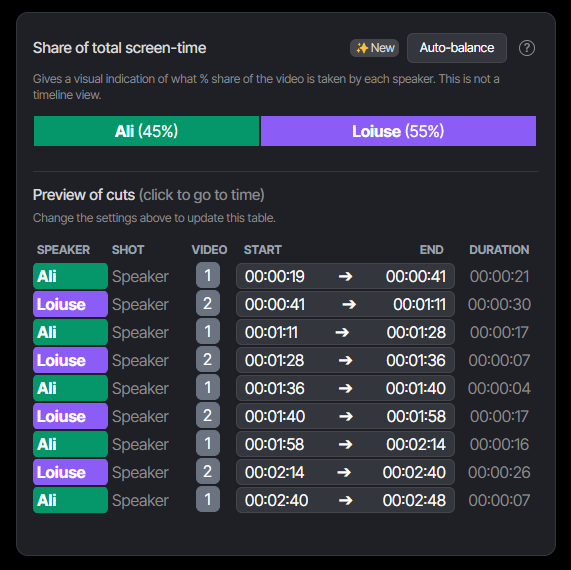
If you’re working with multiple angles or long-form podcasts, use AI to align your clips and switch angles automatically, leaving you with a polished final draft. You can select the ratio of screen-time between the speakers or simply click on auto-balance if you want an equal share.
"It is no longer the big beating the small; it is the fast beating the slow." — Eric Pearson
Stay on top of your competitors by incorporating AI into your video editing. This would leave you with more time to focus on creativity and bringing new ideas to life. Now that you have seen how helpful FireCut can be in your daily editing workflow, do not wait any longer. Start your free trial today!