How to Edit a Podcast in Minutes Using an Automatic AI Video Editor


Podcasts have become one of the most famous type of content these days. They can be video or audio streaming on different social media platforms. It can be any genre as well political, psychological, spiritual or entertainment. Even satire podcasts are doing very well nowadays. Although podcasts can do very well, they can be difficult to produce.
Since there are more than one person in a podcast, you need multiple camera angles so multiple equipment is required such as cameras, microphones, lighting etc. It’s not only hard to film but once you have it recorded, it takes hour to edit as well. You would easily spend an entire day polishing a raw video to turn it into a ready to post podcast.

Do you want to learn how to edit a podcast in minutes using an automatic AI video editor? FireCut AI is an AI-powered tool that can handle all your manual labor efficiently. It is designed carefully, by the famous content creator Ali Abdaal and his friend Suhail Idrees, to tackle all the painstaking tasks of video editing. Lets see how this video editor can help you save time while editing a standard 30 minute podcast episode.
Cleaning the raw video:
First of all you need a clean video so start with so you need to cut out all the unnecessary parts like filler words, repetition or any gaps between the conversations. So manually you would have to go through the entire video, identify all the parts to cut out and then cut them out one by one. With FireCut you only need to select some basic settings and click go to see FireCut do its magic while you relax.
Manual time: 1-2 hours
FireCut time: 5 minutes
Adding captions:
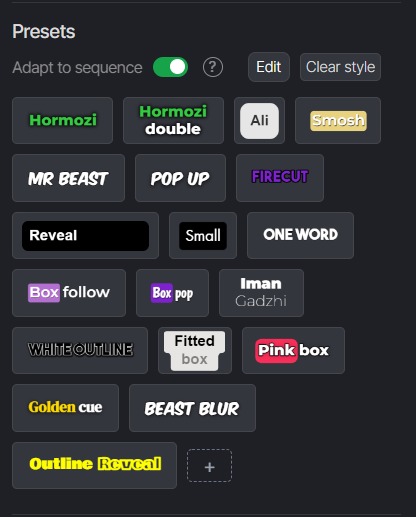
Captions make your video accessible and attractive as well. They can even help you translate videos in other languages so more people can enjoy your videos. If you add captions manually you would have to transcribe the video frame by frame and spend further more time on animating and styling them. However, FireCut lets you add captions using AI in more than 50 languages. You also get presets so just select the one you like or style them your own way.
Manual time: 1-2 hours
FireCut time: 2 minutes
Adding zooms, background music & B-rolls:
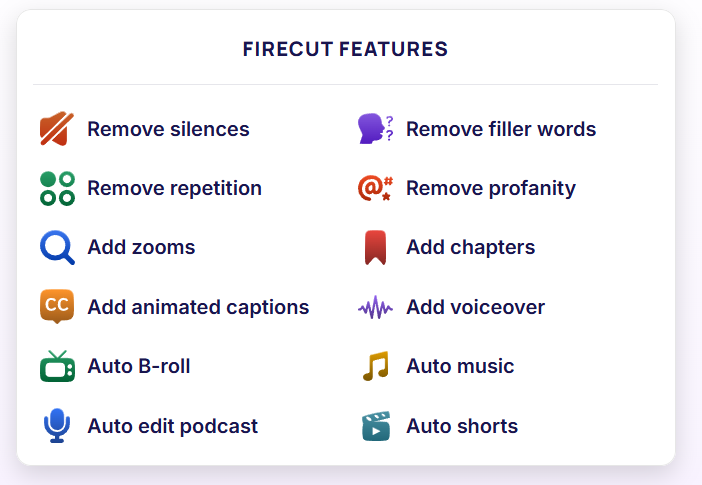
Now that you have a clean video with amazing captions, its time to add some more interesting bits to make your videos appealing to the audience. You can add zooms to emphasize a point. You can also add some background music to entertain the viewers or a b-roll to break the monotony, but be sure to check the copyrights so you can post the content on social media. FireCut lets you do all this with AI and gives you access to high-quality royalty free media.
Manual time: 2-3 hours
FireCut time: 5 minutes
Integrating AI in your work is a great idea specially in this competitive world. And now that you know how helpful FireCut is in your daily workflow, wait no more. Start your free trial today and save hours of your time to focus on the creativity.