Stop Wasting Hours: How FireCut AI Transforms Your Premiere Pro Editing Workflow


Are you tired of spending hours and hours on video editing? It sure is a hectic job; especially with the growing competition, there is a pressure to do more and more. So in order to keep up with the demand, content creators have to hire a big video editing team. It can become expensive and very labor intensive. However, there is a solution.
You can let AI take over the tedious tasks and sit back to focus on the creativity. FireCut AI is an AI-powered Premiere Pro plugin developed by Ali Abdaal and his friend Suhail Idrees. This plugin speeds up your video editing tasks like magic. There are many amazing features that you can use in your daily video editing workflow. Let’s see how FireCut can help you in different areas of video editing.
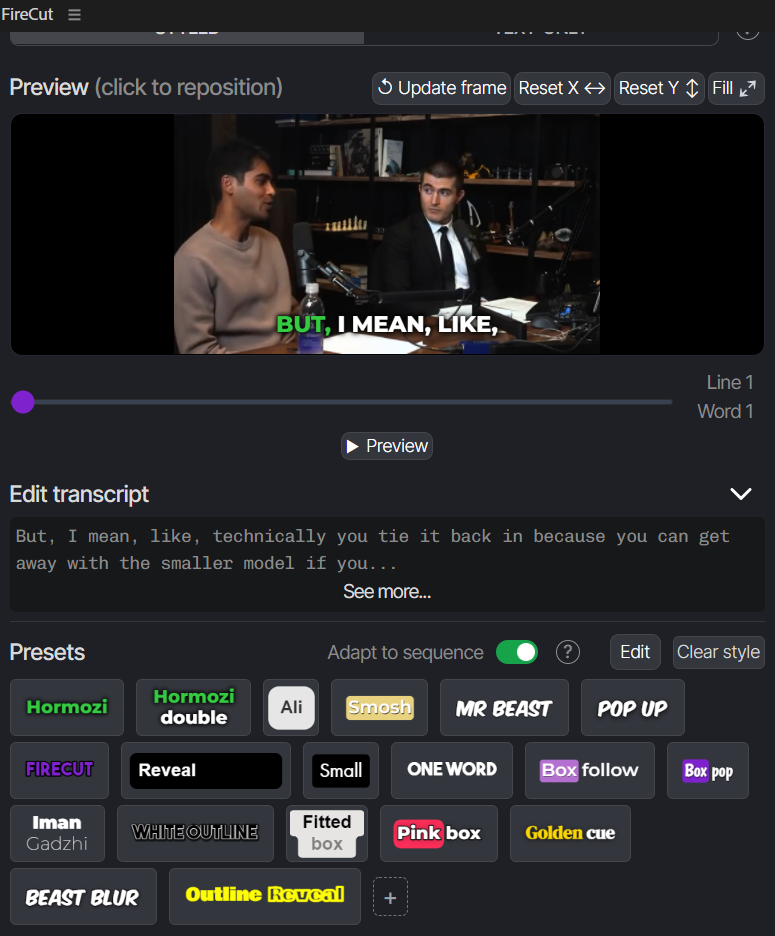
Automatic Captions:
Does it take you the whole day to manually transcribe and translate captions for a video? Worry no more! FireCut can add automated captions in more than 50 languages to your videos in just a few simple clicks. There are a number of presets that you can use for these captions, or just style them the way you like by changing the font, size, or color or adding animations.

Dynamic zooms:
A video is always interesting if you have different frames. You can add automated zooms at the right points. FireCut can auto-detect faces or even add animated zooms to add emphasis on the speaker. You don’t need to be a pro editor to add all these; just select some simple settings, and the zooms are added to your timeline.
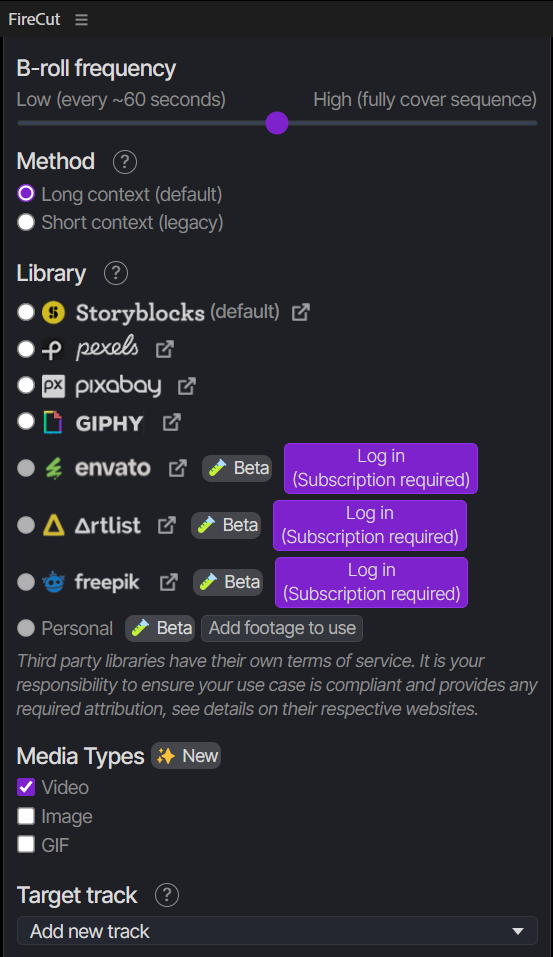
B-rolls:
Do you want to make your content relevant and exciting? Just break the same footage flow by adding entertaining B-rolls. You don’t even have to get any extra subscriptions, as FireCut gives you access to a number of media libraries. You can add images, GIFs, or videos from credible sources without worrying about copyright claims.
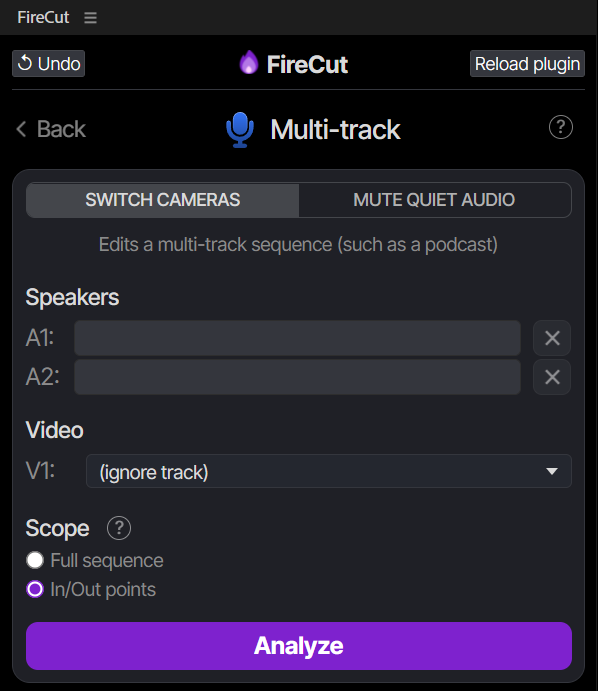
Multi-track:
If you are editing podcasts daily and are tired of making the cuts manually, this feature is for you. FireCut lets you switch between the speakers in seconds instead of hours. You can even choose to evenly distribute the screen time or make any changes after the cuts are made.
Now that you know how useful FireCut features are, you shouldn't waste any more time. FireCut comes at just a $34 per month subscription, and you can also get a one-week free trial. You can also save 30% with the annual plan. So choose to be efficient and adopt AI to be ready for the future. Start your free trial today and let the magic begin.