

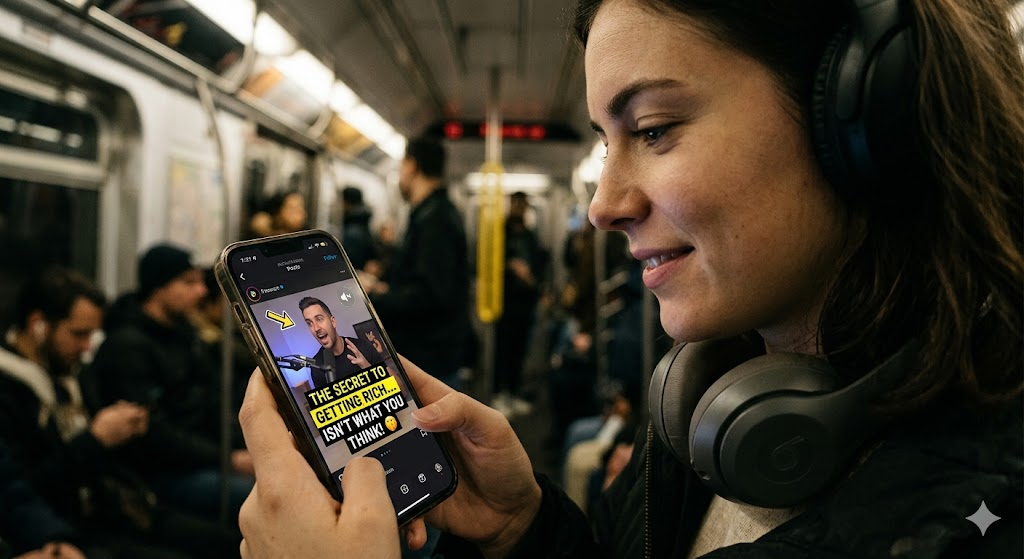
Picture this: someone is sitting on a packed subway car, waiting in a long grocery line, or lying in bed next to a sleeping partner. They open social media, and your latest video podcast clip pops up on their feed.
It looks great. The lighting is crisp, your guest is animated, and the audio waveform is bouncing. But there is one major hurdle—their phone is on mute.
If your video relies entirely on audio to grab attention, you have already lost them. The vast majority of social media users scroll through their feeds completely silently. Keeping these "silent scrollers" engaged isn't just a nice bonus; it is the difference between a viral clip and total digital obscurity.
Here is how you crack the code and turn passive, muted viewers into loyal subscribers.
Decoding the Psychology of the "Silent Scroller"
To capture a silent scroller's attention, you have to understand their mindset. When someone scrolls without sound, they are consuming content purely visually. Their brain is hunting for immediate context.
If they see two people sitting in chairs talking but can't tell what they are talking about within two seconds, they swipe away. The human brain processes visuals 60,000 times faster than text, meaning you have a fraction of a second to visually hook them.
When you strip away the audio, your video podcast has to tell a compelling story through movement, text, and pacing alone. You aren't just producing a podcast anymore; you are directing a silent film where the visual elements have to do the heavy lifting.
FireCut AI: Your Ultimate Editing Partner
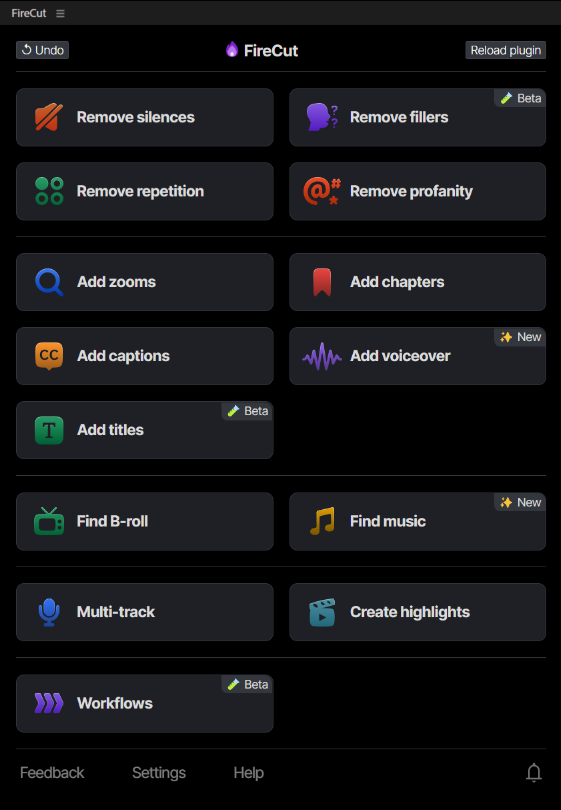
FireCut is an AI-powered plugin for Premiere Pro and DaVinci Resolve. It takes over all your manual labor and turns hours of editing into just minutes. This means you get more of your time back to focus on the real storytelling rather than just sitting through and editing the videos all day long. FireCut’s smart AI system helps you polish the rough draft by cutting out the unnecessary parts and adding new engaging elements and post-production elements effortlessly.
Whether you are trying to hook silent scrollers on social media or streamline a feature-length project, FireCut acts as your digital co-editor. It handles the heavy lifting—like auto-generating style-driven captions, identifying silence, and applying strategic visual zooms—so you can transition from raw footage to a polished, audience-ready masterpiece in just a few clicks.
Here is exactly how this powerful tool transforms your editing workflow:
Dynamic, Style-Driven AI Autocaptions
The absolute baseline requirement for engaging a muted audience is captions. If they can't hear you, they need to read you. But standard, blocky white text at the bottom of the screen doesn't cut it anymore. It feels like school subtitles, not engaging content.
This is where AI tools like FireCut change the game. Instead of generic text, FireCut can generate dynamic, style-driven AI autocaptions in more than 50 languages that match the energy of your show.
- Word-by-Word Syncing: Words light up or change color exactly as they are spoken, creating a visual rhythm that mimics the human voice.
- Smart Styling: It automatically highlights key emphasis words in different colors (like neon green or yellow) to draw the eye to the most important parts of the sentence.
- Auto-Emojis: It injects relevant emojis based on the context of the conversation, adding a layer of personality and instant context.
By turning your spoken words into a stylized visual asset, you give the viewer’s eyes something to track, making it incredibly hard for them to look away.
Visual Anchors: Zooms, B-Rolls, and Titles
Captions are your foundation, but to truly lock in a silent scroller, you need visual anchors. These are deliberate edits that reset the viewer's attention span every few seconds.
If a video stays on a static, wide shot of two people talking for 15 seconds, the brain gets bored and triggers a scroll. You can combat this with three specific visual tactics:
1. Punchy Zooms (The Digital Cut)
You don't need a multi-camera studio to create movement. Smart editing tools can automatically detect who is speaking and apply subtle "punch-ins" or zooms. A sudden shift from a wide shot to a tight close-up right when a creator delivers a punchline or a shocking fact creates instant visual drama, even on mute. FireCut lets you add automated zooms at the right points using AI so you don’t have to go through the footage again and again to figure out where to zoom in and out. .
2. Contextual B-Roll
If your guest is telling a story about a crazy experience they had in Tokyo, don't just show their talking head. Layer in a 3-second clip of Tokyo's neon streets. B-roll acts as an instant context injector for the silent viewer, giving them a vivid mental picture of the conversation without needing the audio track. With FireCut you get access to multiple libraries where you can get high-quality stock footage to make your videos more appealing.
3. On-Screen Titles and Lower Thirds
Use bold, clean title cards or "lower third" graphics to introduce the topic or frame the question. If a viewer scrolls onto a clip and sees a clean graphic overlay that says "How I Built a $10M Business at 19," they instantly know the stakes. They will stop scrolling and start reading the captions to find out how. You can add styled titles using FireCut’s title features, which gives you various options for customization.
Conclusion
The landscape of video editing has shifted. We no longer live in an audio-only world, nor do we live in a world where video is always consumed with the volume blasted.
Winning over the silent scroller requires a shift in perspective. By understanding their visual-first psychology, leveraging cutting-edge AI tools like FireCut for dynamic captions, and spacing out visual anchors like zooms and B-roll, you can build an unskippable video podcast.
Stop designing your clips only for the ears. Start editing for the eyes, and watch your engagement metrics soar. Try FireCut today to experience the ease of AI-powered editing yourself.
FireCut uses AI to help creators make better content, faster.
Available for Premiere Pro, DaVinci Resolve and Web.
Start free trial