

When you’re starting out in filmmaking, it’s easy to fall into the trap of thinking you need a $5,000 cinema rig to make your videos look high quality.
Here’s the truth: The story, lighting, and pacing matter far more than the price tag on your camera.
Today, even entry-level mirrorless cameras pack feature sets that indie directors a decade ago would have killed for—4K recording, 10-bit color, advanced autofocus, and stellar low-light performance. Many creators also focus on shooting and editing on your mobile phone. But if you want to make really good content, you do need a decent camera eventually.
Whether you're shooting your first short film, building a YouTube channel, or creating content for clients, here are the top 5 budget-friendly cameras for beginner filmmakers that deliver maximum value without breaking the bank.
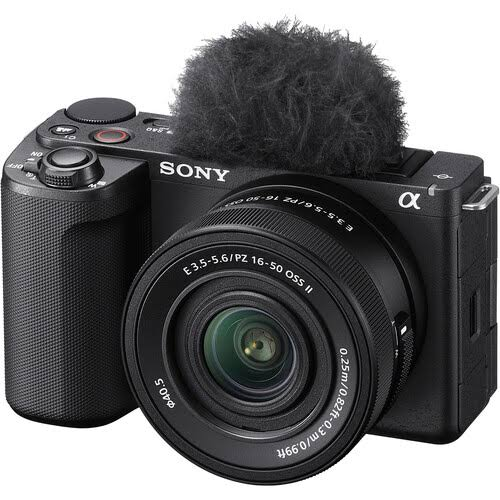
1. Sony ZV-E10 — Best All-Rounder for Content Creators & Vloggers
Approx. Price: $800 (Body Only)
Sensor: APS-C
Max Resolution: 4K at 30fps / 1080p at 120fps
If you want Sony’s legendary autofocus system without paying full-frame prices, the ZV-E10 is arguably the best entry point into video creation today. Designed specifically with video-first creators in mind, it strips away non-essentials like an electronic viewfinder to give you maximum feature density for around $800.
- Why Filmmakers Love It: Exceptional real-time eye-tracking autofocus, unlimited recording time (no 30-minute cap), and support for S-Log picture profiles so you can practice color grading in post.
- The Downside: Noticeable rolling shutter ("jello effect") during fast camera movements.
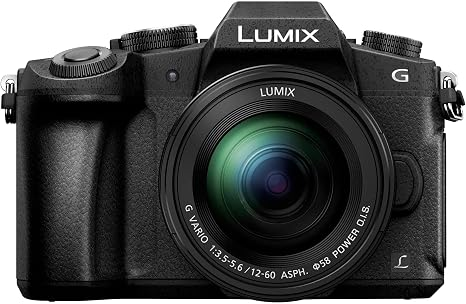
2. Panasonic Lumix G85 / G80 — Best Budget Pick for Handheld Shooting
Approx. Price: $900 (With Kit Lens)
Sensor: Micro Four Thirds
Max Resolution: 4K at 30fps / 1080p at 60fps
The Panasonic Lumix G85 may have been around for a few years, but it remains one of the absolute best values on the market. Unlike many cameras at this price point, it features In-Body Image Stabilization (IBIS).
- Why Filmmakers Love It: You can pull off smooth, cinematic handheld shots without needing a bulky gimbal. It also offers a fully articulating flip screen, weather-sealed body, and zero 4K recording limits.
- The Downside: Contrast-based autofocus can "hunt" occasionally, making manual focus the preferred choice for cinema work.
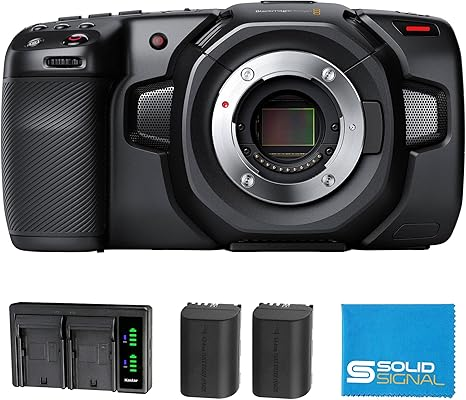
3. Blackmagic Pocket Cinema Camera 4K (BMPCC 4K) — Best for True Cinema Enthusiasts
Approx. Price: $1145
Sensor: Micro Four Thirds
Max Resolution: 4K DCI at 60fps
If your primary goal is to learn the art of narrative cinematography, the BMPCC 4K is in a class of its own. It functions less like a consumer camera and more like a scaled-down Hollywood cinema camera.
- Why Filmmakers Love It: It shoots in Blackmagic RAW (BRAW) and ProRes, providing incredible dynamic range and flexibility when grading. Plus, it includes a full license for DaVinci Resolve Studio (a $295 value on its own).
- The Downside: No continuous autofocus, no in-body stabilization, and notoriously short battery life. You will need to rig it up with accessories to get the most out of it.
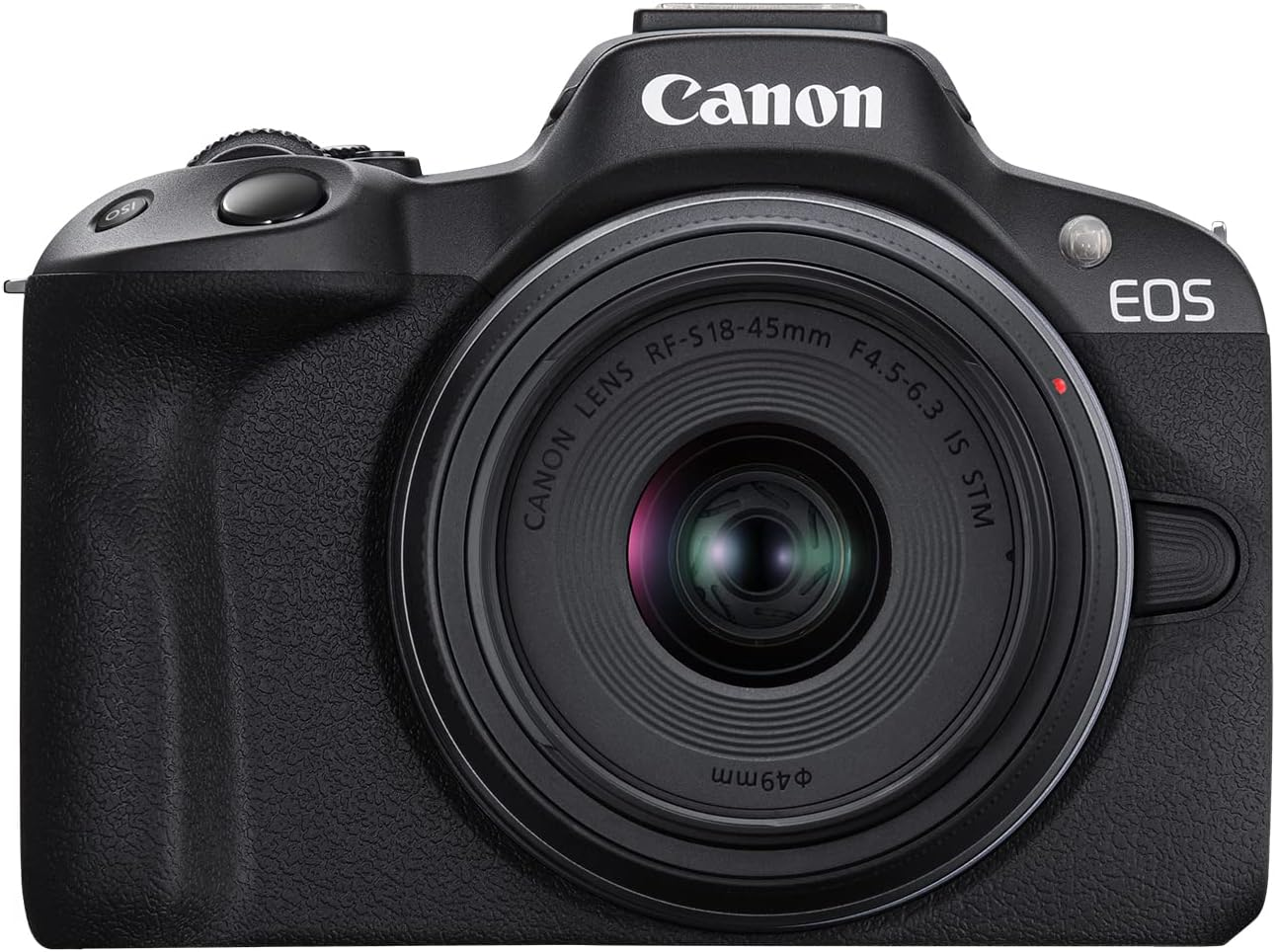
4. Canon EOS R50 — Best for Beginner-Friendly Usability
Approx. Price: $800
Sensor: APS-C
Max Resolution: 4K at 30fps (Uncropped, oversampled from 6K)
Canon is famous for two things: natural, flattering skin tones and intuitive user interfaces. The EOS R50 brings Canon’s modern RF-mount ecosystem down to a budget level, making it ideal for beginners who want crisp video straight out of the box without complex setups.
- Why Filmmakers Love It: Oversampled 4K video means the image is exceptionally sharp. Combined with Dual Pixel CMOS AF II, it locks onto subjects reliably without hassle.
- The Downside: Limited selection of native budget RF-S lenses, requiring an adapter to use older EF lenses efficiently.
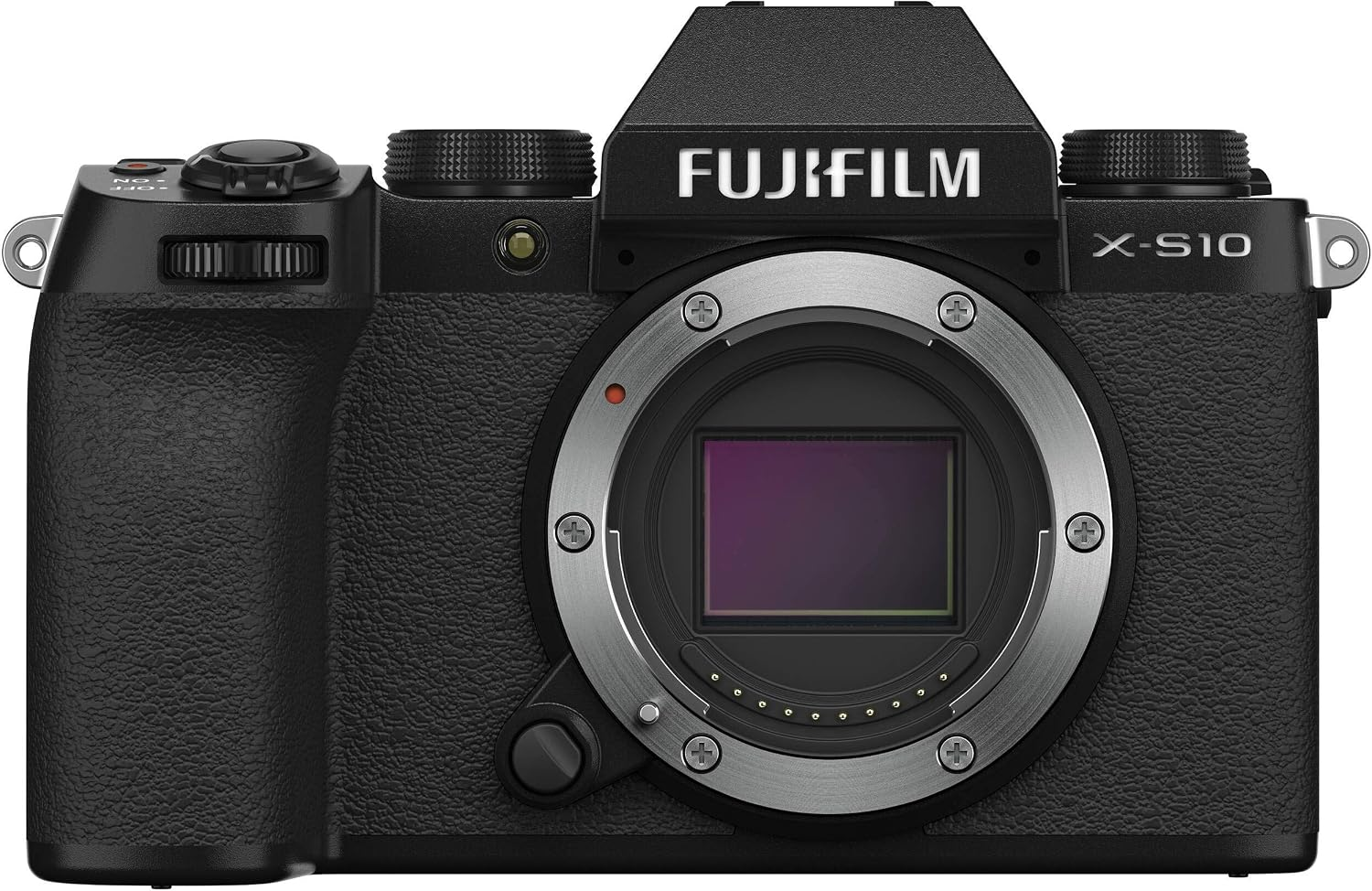
5. Fujifilm X-S10 — Best for Film Simulation & Color Quality
Approx. Price: $900
Sensor: APS-C
Max Resolution: 4K at 30fps / 1080p at 240fps (Super Slow Motion)
Sitting right at the top end of "budget," the Fujifilm X-S10 punches well above its weight class. It combines 5-axis In-Body Image Stabilization with Fujifilm's iconic film simulation profiles, allowing you to achieve rich, cinematic looks straight in-camera before you even touch editing software.
- Why Filmmakers Love It: Shoots 10-bit 4:2:2 video externally or internal F-Log, offers incredible slow-motion rates in 1080p, and features an ergonomic grip with built-in stabilization.
- The Downside: Menu layout takes a little time to master compared to Canon or Sony.
What Else Do You Need Besides the Camera?
Buying the camera is only step one. If you want your videos to look professional, reserve a portion of your budget for these essential additions:
- Audio Gear: On-camera microphones pick up room echo and wind noise. Grab an affordable shotgun mic (like a Rode VideoMicro) or a wireless lavalier kit.
- Lighting: A simple dual-light LED panel setup will elevate your video quality far more than upgrading to a $3,000 camera body ever could.
- Streamlined Editing Tools: Once you've captured your footage, the real magic happens in post-production. So you need powerful editing softwares like Premiere Pro or DaVinci Resolve so your videos turn out great. These tools enable high quality editing and are an industry standard currently.

Pro Tip for Video Editors: FireCut AI
Cutting down long takes, silencing dead air, and generating captions manually can take hours. Using AI-powered editing extensions like FireCut inside Adobe Premiere Pro or DaVinci Resolve allows you to automatically remove silences, generate multi-language captions, and create jump cuts in seconds—giving you more time to focus on story and color grading.
Top secret: There is a new Magic feature which can make your video ready to post in seconds with just 1 click!
FireCut comes at a subscription of starting from $11 per month. You can also get a free trial and try out all the amazing features to see how they elevate your workflow. So sign up today!
Final Thoughts
Don't let gear paralysis stop you from creating. Choose the camera that fits your current budget, master its manual settings, and start shooting. The best camera in the world is simply the one you have with you when inspiration strikes. Adopting AI in your workflow is the smartest way to start your journey! So once you are all done with the filming, let FireCut handle the editing load.
FireCut uses AI to help creators make better content, faster.
Available for Premiere Pro, DaVinci Resolve and Web.
Start free trial