

DaVinci Resolve is a great tool for video editing. It was launched by Blackmagic Design and has easily given a tough competition to major editing tools like Adobe Premiere Pro and Final Cut Pro by Apple. Many editors choose DaVinci Resolve for their daily work because of it’s powerful features. But it is a complicated software and users need some time to get a hang of it. Luckily there are many plug-ins that can enhance the features and make editing quicker:
FireCut AI for DaVinci Resolve:
- Free/Paid: Paid/Free version also available
- Pricing: 7 day free trial, then $18-34/mo depending on plan
- Video Tutorial: https://www.youtube.com/watch?v=SFgD81a-o1A
- Best For: Content Creators, Vloggers, Podcasters, and Agency Editors looking to cut editing time by 80%.
FireCut AI is an AI-powered tool that took the editing world by storm when they first launched their plug-in for Premiere Pro. FireCut AI has recently launched its DaVinci Resolve version as well. It is known to cut editing time significantly for users, as it uses AI to automate all the time-taking tasks like;
- Removing silences and awkward pauses
- Removing repetition
- Adding animated captions
- Adding automated zooms
- Adding chapters
- Adding relevant B-rolls & music
- And much more!
FireCut AI saves a lot of time for creators, providing them more time to focus on the creativity. It is a smart idea to benefit from AI in this day and age. You can try yourself by signing up here for a free version.
Sapphire by BorisFX:
- Free/Paid: Paid
- Pricing: 7 day free trial, then $175/mo (billed monthly) or $150/mo (billed yearly)
- Video Tutorial: https://www.youtube.com/watch?v=OF8wrYw6egA
- Best For: High-end motion graphics artists, VFX editors, and commercial colorists.
If you are looking to elevate your content to the next level, Sapphire by BorisFX should be your go-to. Sapphire boasts a massive collection of over 270 effects and thousands of customizable presets. It offers visual effects such as flares, glow effects, transitions, and motion graphics. You can even combine multiple Sapphire effects and presets to create entirely new, custom effects and transitions. It gives you an incredible amount of creative control and flexibility
Beauty Box:
- Free/Paid: Paid
- Pricing: 7 day free trial, then $199 one time payment
- Video Tutorial: https://www.youtube.com/watch?v=siRLIUQNaLc
- Best For: Interview editors, corporate videographers, and commercial beauty retouchers.

Beauty Box by Digital Anarchy is another great tool that is used to beautify the looks of people in your videos. The core strength of the plugin is Automatic Skin and Face Detection. With a single click of the "Analyze Frame" button, Beauty Box automatically identifies skin tones in your footage and creates a precise mask. This eliminates the need for manual, frame-by-frame masking or rotoscoping, which can be an incredibly time-consuming process You can also use this tool to add makeup or simply retouch any look.
FilmConvert Nitrate:
- Free/Paid: Paid
- Pricing: 7 day free trial, then $149 one time payment
- Video Tutorial: https://www.youtube.com/watch?v=x0LblnLqb2s
- Best For: Filmmakers, music video directors, and indie colorists.
This plugin is popular within all the filmmakers. If you want to turn your raw digital footage into a cinematic masterpiece, FilmConvert Nirate is for you. Rather than simply applying a LUT (Lookup Table), it uses a sophisticated process of emulating the unique color science and grain structure of specific film stocks. It offers a variety of presets to choose from. You can adjust the grains and textures with just a click. You have full control over the strength and size of the grain, allowing you to dial in a subtle or more pronounced look.
MotionVFX Channel Clean:
- Free/Paid: Paid
- Pricing: $89 one time payment
- Video Tutorial: https://www.youtube.com/watch?v=gWueldhiSok
- Best For: YouTubers, modern streamers, and corporate video editors.

MotionVFX Channel clean not a traditional plugin but rather a collection of motion graphics templates and assets for anyone who is looking to add graphics to their videos. It can be described as a comprehensive toolkit for visually branding a video channel with a clean, modern, and professional aesthetic. These are ready made graphics that can fit into almost any project. They can include overlays, backgrounds, subtitles and transitions etc. These templates provide a fast and efficient way to create high-quality on-screen graphics. This plugin provides a simple and easy way of elevating your videos with versatile elements.
False Color:
- Free/Paid: Paid
- Pricing: 7 day free trial, then $48 one time payment
- Video Tutorial: https://www.youtube.com/watch?v=h0FK8IBJmkk
- Best For: Precise exposure matching and professional color grading calibration.

A lot of people use DaVinci Resolve for color grading. It takes a while to fix the colors and is often difficult for the beginners. False Color by timeinpixels is perfect for this task. It offers presets that can fix your videos quickly. It focuses on fixing the exposure, which is not an easy task at all. This allows you to quickly and accurately assess exposure without relying solely on your eyes or a waveform monitor. False Color is a great way to save time and effort. It offers a wide range of options for fixing the colors, such as grey scales, and the best part is that they all look natural. While Resolve's other scopes (like the waveform and histogram) provide technical data about your image, false color offers a more intuitive and immediate way to read exposure.
Mocha Pro by BorisFX:
- Free/Paid: Paid
- Pricing: $48 per month, $324 per annual or $765 permanent license
- Video Tutorial: https://www.youtube.com/watch?v=V_dbUIUji3g
- Best For: YouTubers, modern streamers, and corporate video editors.

Mocha Pro is an amazing plugin for motion tracking. Fun fact: It has won the Academy Award for its innovative planar tracking technology. If you are into visual effects this is a great tool. It's highly accurate and can track objects through occlusions, reflections, and even on non-flat surfaces. By analyzing frames before and after an object appears, it can automatically generate a "clean plate" and remove the unwanted object with minimal user input. This is perfect for things like removing wires, rigs, or even unwanted people from a shot. You can also use it for screen replacement, adding signs to a building, or any other type of insert with realistic motion blur and distortion. It can also stabilize shaky camera footage.
Reactor by We Suck Less:
- Free/Paid: Paid
- Video Tutorial: https://www.youtube.com/watch?v=e8_UT41KBac
- Best For: Power users looking to expand Fusion’s capabilities with community tools.

Reactor is a platform where you can get free effects and plugins made by the community as We Suck Less. Reactor can be seen as the "App Store" for Fusion. It provides a centralized, user-friendly interface to browse, download, and install a huge collection of audio, 3D effects, transitions, blurs etc. The tools are created by users for users. This means you'll find a lot of highly practical and creative solutions that address real-world production challenges.
Place it by Soundly:
- Free/Paid: Paid
- Video Tutorial: https://www.youtube.com/watch?v=D-ptyHUNHHs
- Best For: Sound designers and video editors seeking realistic audio environmental effects.
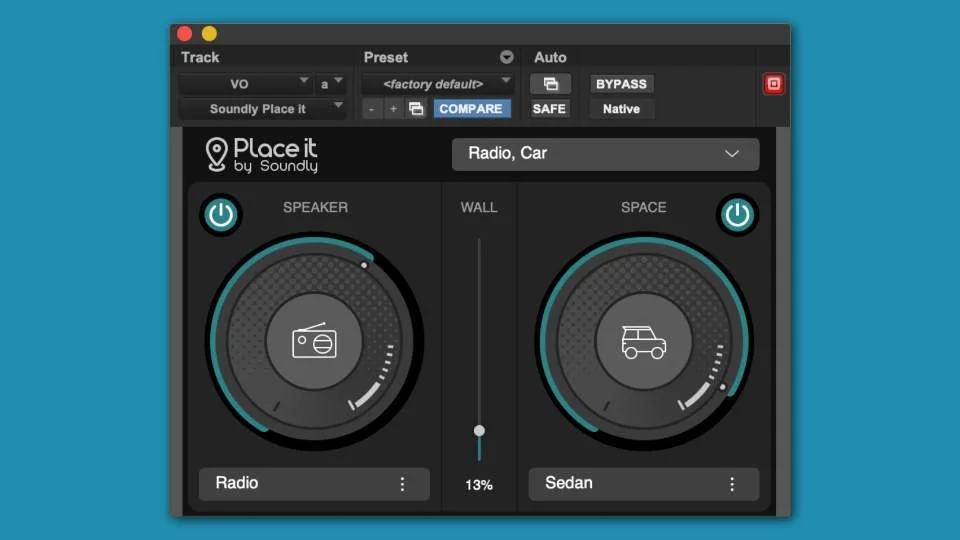
Place it by Soundly is another free gem which is helpful for editors who like to use sound effects. It's not a general-purpose EQ, compressor, or reverb, but a specialized tool that focuses on a very specific, and often challenging, task: making a sound, such as a voiceover or a sound effect, sound like it's coming from a specific speaker in a particular environment. You can decide the situations and place of sound while adding it to your videos so the sound effects blend in more naturally into your content.
Highlight Window by Jake Whipp:
- Free/Paid: Paid
- Video Tutorial: https://www.youtube.com/watch?v=hOpyo4gJ_1Q&t=19s
- Best For: Tutorial creators, software educators, and UI reviewers.
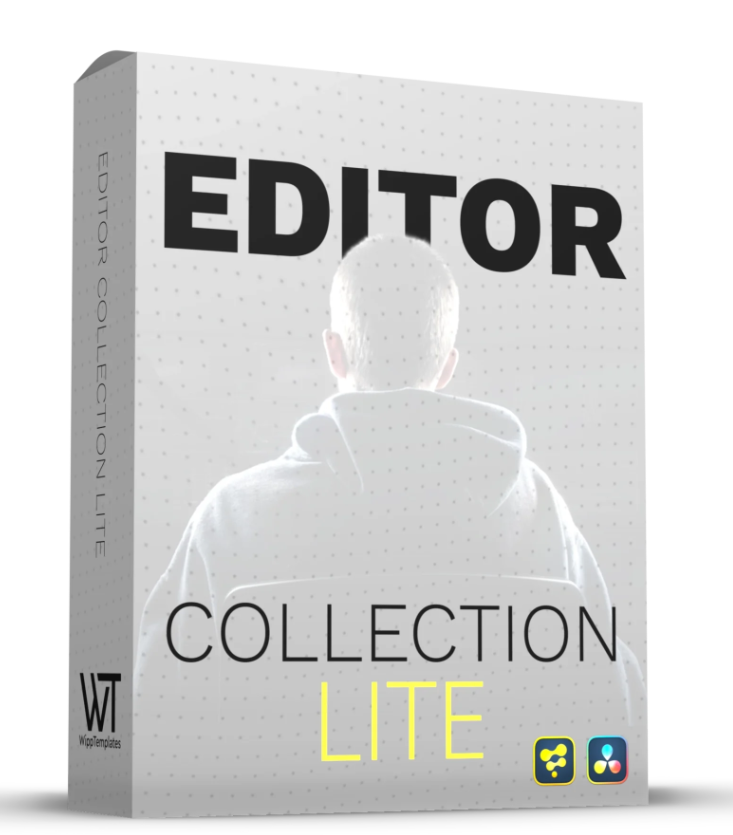
Highlight Window is a part of the template pack that Jake Whipp offers for DaVinci Resolve. This helps to highlight a part of your video. It gives you different options to highlight through animations, scale and blur. You can easily change the shape (often a rectangle or circle) and size of the highlight area. Highlight window makes highlighting much easier.
Conclusion:
DaVinci Resolve is a powerful video editing tool. There are many features which are useful for video editors in their everyday workflow but it can be hard to use and might require several hours. These plugins can be a great addition for any type of video editor. They can make video editing easier and efficient. So choose your plugin according to your workflow and start editing!
FireCut uses AI to help creators make better content, faster.
Available for Premiere Pro, DaVinci Resolve and Web.
Start free trial